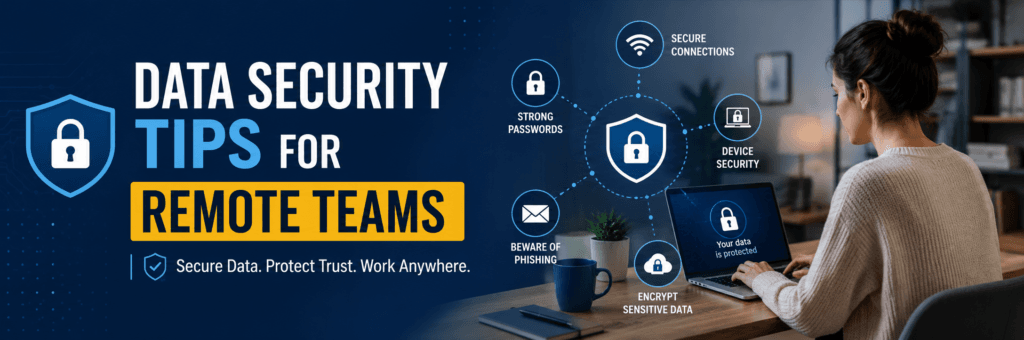
In today’s digital landscape, remote work has become the norm for many organizations worldwide. While this shift offers flexibility and convenience, it also presents unique challenges regarding data security. As remote teams access sensitive information from various locations, ensuring robust data protection is paramount. Here are some essential data security tips for remote teams to safeguard their information and maintain a secure working environment.
1. Establish a Robust Security Policy
Creating a comprehensive security policy is the first step in protecting your organization’s data. This policy should outline the expected security practices for remote employees, including guidelines for using personal devices, accessing company networks, and handling sensitive information.
Practical Advice
- Document Clear Guidelines: Ensure that your policy covers topics such as password management, acceptable use of devices, and procedures for reporting security incidents.
- Communicate Expectations: Regularly review the policy with your team to reinforce its importance and ensure everyone understands their responsibilities.
Real-Life Example
At a previous company I worked with, we implemented a detailed remote work policy that included specific guidelines on data handling and device security. This proactive approach helped reduce incidents of data breaches significantly because employees were aware of the protocols they needed to follow.
2. Use Strong Passwords and Multi-Factor Authentication
Weak passwords are one of the easiest ways for cybercriminals to gain unauthorized access to sensitive information. Encourage your team to use strong, unique passwords for all accounts and enable multi-factor authentication (MFA) wherever possible.
Practical Advice
- Promote Password Managers: Encourage employees to use password managers to generate and store complex passwords securely.
- Implement MFA: Require MFA for accessing company systems, which adds an extra layer of security by requiring a second form of verification, such as a code sent to their mobile device.
Personal Anecdote
I once had a colleague whose account was compromised due to a weak password. After that incident, our team adopted a password manager and implemented MFA across all our accounts. This change not only improved our security but also made it easier for everyone to manage their passwords without having to remember complex combinations.
3. Secure Your Home Network
Many remote workers may not realize that their home networks can be vulnerable to attacks. Ensuring that home Wi-Fi connections are secure is crucial for protecting sensitive data.
Practical Advice
- Change Default Router Settings: Encourage employees to change default usernames and passwords on their routers and enable WPA3 encryption.
- Regularly Update Firmware: Remind team members to check for firmware updates on their routers regularly, as these updates often include important security patches.
Example: A Remote Employee’s Experience
A friend of mine who works remotely experienced a data breach because her home Wi-Fi was unsecured. After learning about the risks, she took steps to secure her network by updating her router settings and enabling encryption. This simple action significantly improved her online safety while working from home.
4. Use Virtual Private Networks (VPNs)
VPNs create secure connections between remote employees and the company’s network, encrypting data transmitted over the internet. This is especially important when accessing sensitive information or using public Wi-Fi networks.
Practical Advice
- Provide Company VPNs: Ensure that all employees have access to a reliable company VPN when working remotely.
- Educate Employees on Usage: Offer training on how to connect to the VPN properly and explain its importance in protecting company data.
Real-Life Example
During my time at a tech startup, we provided our team with a VPN service that allowed them to access internal systems securely from anywhere. This practice not only safeguarded our data but also gave employees peace of mind when working from coffee shops or other public spaces.
5. Regularly Update Software and Security Tools
Keeping software up-to-date is essential in defending against cyber threats. Regular updates often include security patches that protect against newly discovered vulnerabilities.
Practical Advice
- Enable Automatic Updates: Encourage employees to enable automatic updates for operating systems and applications whenever possible.
- Use Reputable Security Software: Ensure that all devices have up-to-date antivirus software installed to protect against malware and other threats.
Example: A Close Call with Malware
A colleague once neglected software updates on her laptop, which led to a malware infection that compromised sensitive project files. After this incident, our team made it mandatory for everyone to keep their software updated regularly, significantly reducing our vulnerability to similar threats.
6. Educate Employees About Phishing Attacks
Phishing attacks remain one of the most common methods used by cybercriminals to steal sensitive information. Training employees to recognize phishing attempts can significantly reduce the risk of falling victim to these scams.
Practical Advice
- Conduct Regular Training Sessions: Organize workshops or online training sessions focused on identifying phishing emails and suspicious links.
- Share Real Examples: Use examples of recent phishing attempts (without compromising any sensitive information) to illustrate what employees should look out for.
Personal Anecdote
After attending a cybersecurity awareness workshop where we learned about phishing tactics, I became much more vigilant about scrutinizing emails before clicking links or downloading attachments. Sharing these experiences within teams can foster a culture of awareness that strengthens overall security.
Conclusion
As remote work continues to be an integral part of many organizations’ operations, prioritizing data security is essential for protecting sensitive information and maintaining trust with clients and stakeholders. By establishing robust security policies, using strong passwords and multi-factor authentication, securing home networks, utilizing VPNs, regularly updating software, and educating employees about phishing attacks, organizations can significantly enhance their cybersecurity posture.
As you implement these strategies within your remote teams or guide others through this process, remember that fostering a culture of security awareness is vital. Empowering your team with the knowledge and tools they need will not only protect your organization but also contribute to a safer digital environment overall!